One account. Every screen.
Your flatmates don’t all have the same phone. ttmm works on Android, in any browser, and on iPhone, with the same groups and the same balances everywhere.
Android app
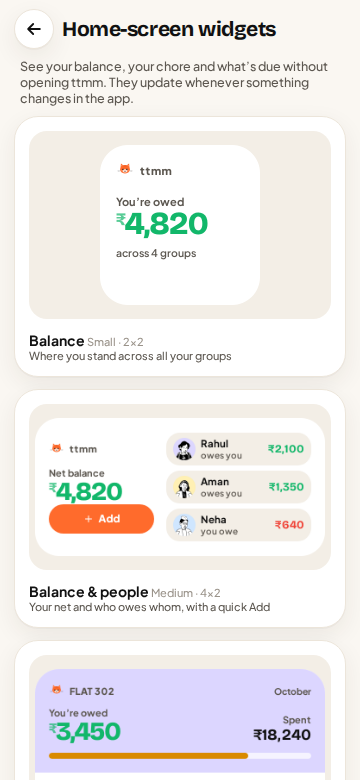
The Android app is the full ttmm: home-screen widgets for your balance and today’s chore, notifications with Meow sounds, contacts, receipt photos from the camera, and fast offline entry. Get it free on Google Play.
In your browser
Open ttmmsplit.in/app on any phone or laptop. On a big screen the web app gets its own desktop layout: a table of expenses, a detail panel, and keyboard-friendly forms, which is great for entering a month of bills at once.
On iPhone
There’s no App Store app yet. Open ttmmsplit.in/app in Safari, tap Share, then Add to Home Screen. ttmm opens full-screen like an app, with the same account as your Android flatmates.
Live sync
Sign in with your email and every change appears on every device within a second or two: when Aman adds the groceries on his phone, they appear on your laptop. Without an account, ttmm works entirely on your phone.
Works offline
No signal in the basement parking or on the mountain? Keep adding expenses. They’re saved on your phone and sync when you’re back online.
Make it yours
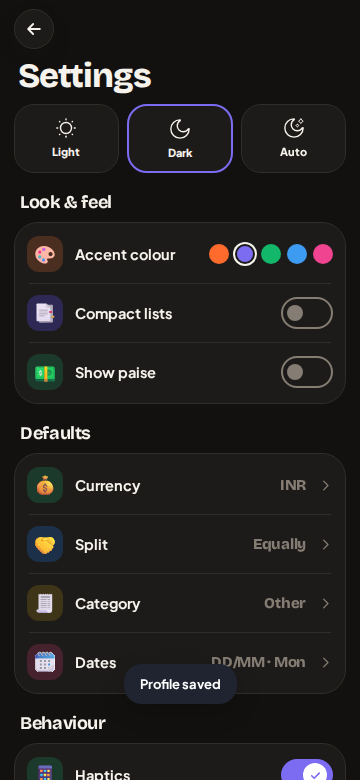
Light and dark mode, accent colours, and (with Pro) extra themes and app icons. Notifications can be tuned per type in Settings.
Questions
Is there an iPhone app?
Not yet. iPhone users can add the web app to their Home Screen from Safari; it works like an app and syncs with Android.
Do I need an account?
No. You can use ttmm without one; your data stays on your phone. Sign in with email to sync between devices and with your group.
Does ttmm work offline?
Yes. Expenses you add offline sync automatically when you’re back online.