A group chat with a cat in it
Money talk is easier with a sense of humour. Every ttmm group has its own chat with stickers, and a special button called Meow.
Talk where the money is
Every group has a chat. Ask “who ordered the extra milk?” right next to the expense, instead of in a WhatsApp group where it gets buried under memes. Messages arrive instantly for everyone in the group, on Android and the web.
Meow: the friendliest nudge
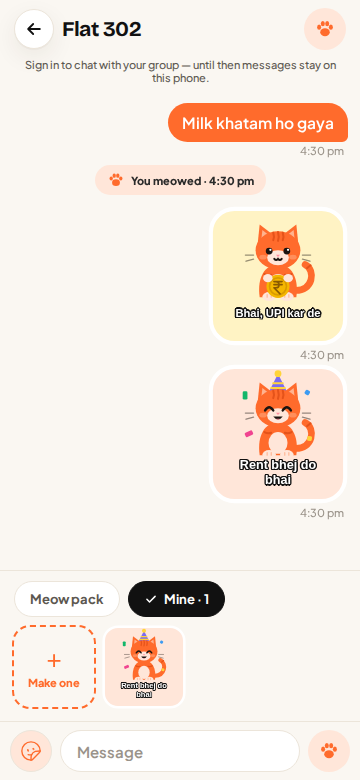
Double-tap the paw button to send a Meow. Your flatmate’s phone buzzes and plays a meow sound, even when the ttmm app is closed. It’s the perfect “rent kab bhejega?” that nobody can take personally. A paw burst plays on screen for everyone in the chat.
Pick your meow
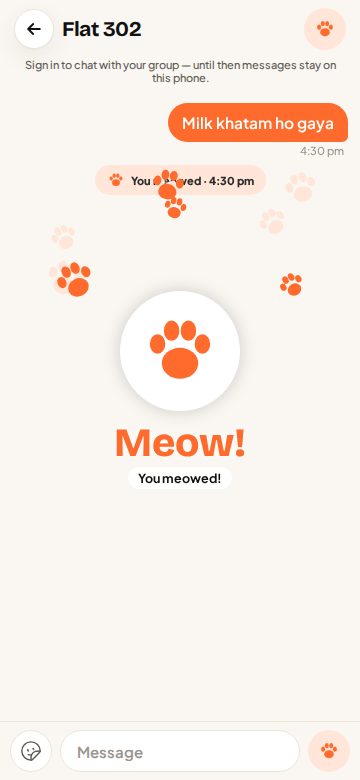
Make Meow yours in Settings → Meow style, or from the paw button in a chat:
- 5 sounds: Classic, Kitten (short and squeaky), Purr-meow, Chirp, and LOUD MEOW for flatmates who don’t listen.
- 6 paw colours: Ginger, Pink beans, Lavender, Mint, Golden and Midnight.
Your sound plays on your flatmates’ phones when you meow at them, so they know it’s you.
Cat stickers, including your own
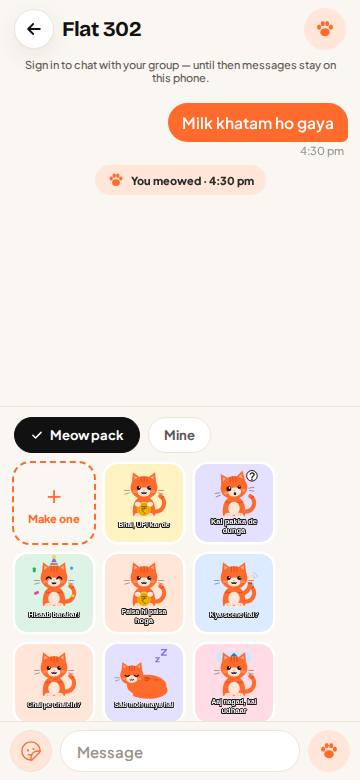
The sticker tray has Meow saying the things flatmates say most: “UPI kar de”, “Kal pakka de dunga”, “Paisa vasool”. Tap Make your own to put any caption on a cat sticker.
Kind by design
Meows are limited so nobody can spam a flatmate at 3 am, and you can turn Meow notifications off any time in Settings.
Questions
Does Meow work when the app is closed?
Yes, on Android it arrives as a notification with your chosen meow sound and a vibration. On the web it plays while ttmm is open.
Can I turn off Meow sounds?
Yes. In Settings → Notifications you can mute Meows or all chat notifications.
Who can see the group chat?
Only the members of that group.