Settle up with the fewest payments, on UPI
Splitting is half the job. The other half is getting everyone square without a spreadsheet, without awkward texts, and without sending ₹50 back and forth five times.
Who owes whom, simplified
In a busy flat, everyone pays for something: Aman buys groceries, Neha pays the cook, you pay the WiFi. If you settled each expense on its own you’d send a dozen small payments a month. ttmm adds up everything instead (what each person paid minus their share) and works out the fewest payments that leave everyone at zero. The group screen shows it as plain sentences: “Rahul → you ₹1,255”.
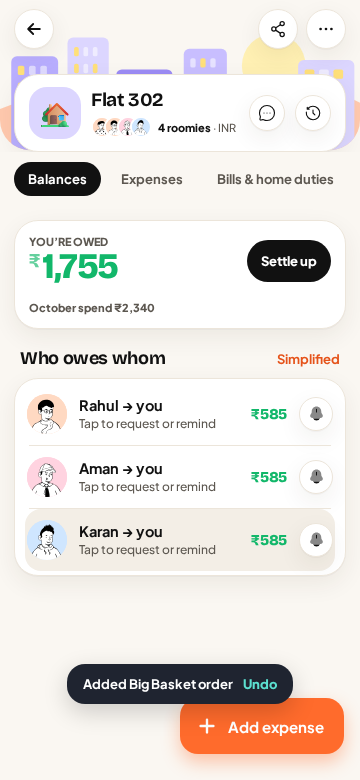
This never changes what anyone owes in total. It only removes the payments that cancel each other out. If you’re curious how it works, our guide on settling group expenses with the fewest payments walks through an example step by step.
Pay in one tap
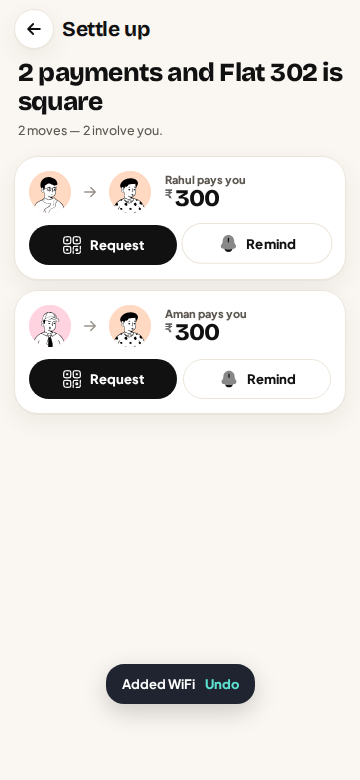
Tap Settle up and pick a payment. ttmm opens your UPI app (Google Pay, PhonePe, Paytm, BHIM or any other) with the person’s UPI ID and the amount already filled in. You confirm with your UPI PIN in your own app as usual. ttmm never sees your bank details or your PIN and never holds money: the payment goes directly from your bank to theirs.
Asking for money without the awkwardness
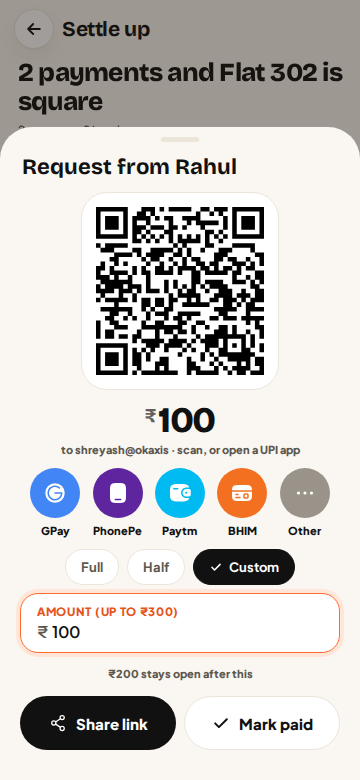
When someone owes you, tap Request. ttmm makes a UPI QR code for the exact amount, with buttons for the common UPI apps, and a link you can share on WhatsApp. Your flatmate scans or taps and pays; there’s nothing to type. If they forget, Remind sends a polite nudge from ttmm, so it isn’t you chasing them.
Pay part, or a custom amount
Not everyone can clear ₹4,000 on the 28th. Every settle screen lets you choose Full, Half or a Custom amount, and the balance updates to show what’s left. Paid in cash? Tap Mark paid to record it without UPI.
A small celebration
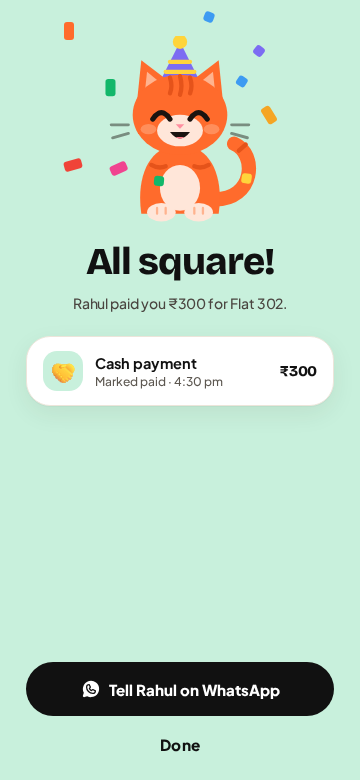
When a group hits zero, Meow throws a tiny party on screen. Settling up should feel good.
Safety: what to know about UPI
- You never need your UPI PIN to receive money. If anyone (or any “collect request”) asks for your PIN so you can “receive” a payment, it’s a scam.
- Check the name before you pay. Your UPI app shows the name registered to the UPI ID. Make sure it’s your flatmate.
- ttmm only opens your UPI app. It can’t move money or see your balance.
Questions
Does ttmm process payments?
No. ttmm opens your UPI app with the details filled in; the payment happens in your UPI app, between your bank and theirs. ttmm only records that it happened.
What if my flatmate doesn’t have a UPI ID saved?
You can still record a payment with Mark paid, or ask them to add their UPI ID in Me → Edit profile so requests work.
Can I settle only part of what I owe?
Yes. Choose Half or a Custom amount on the settle screen. The rest stays on the balance.
Does simplifying debts change how much I owe?
No. Your total stays the same; only the number of payments goes down.