Bring everyone in, in seconds
A bill-splitting app is only as good as the number of people using it. ttmm makes adding people painless, even when they haven’t installed anything yet.
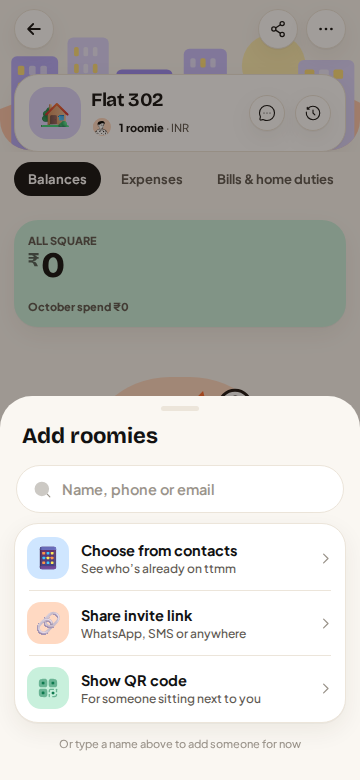
Add people who aren’t on ttmm yet
Add flatmates by name and they show up in the group straight away. You can split with them before they’ve installed anything. When they join from your invite link, they claim their spot and see every expense that was already added for them.
From your contacts
On Android, pick roomies from your contacts. ttmm shows who’s already on ttmm and lets you invite the rest with a WhatsApp message.
Invite links and QR codes
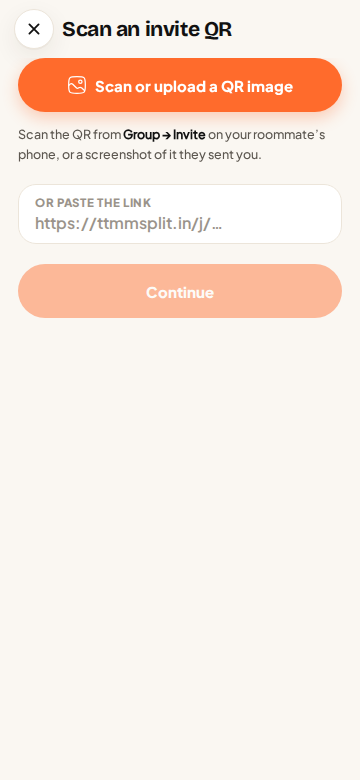
Every group has an invite link and a 5-character code. Share the link on WhatsApp, or show the QR code on your phone and let your new flatmate scan it. ttmm can also read a QR from a photo or screenshot, so a QR someone sent you on WhatsApp works too.
Friends, one to one
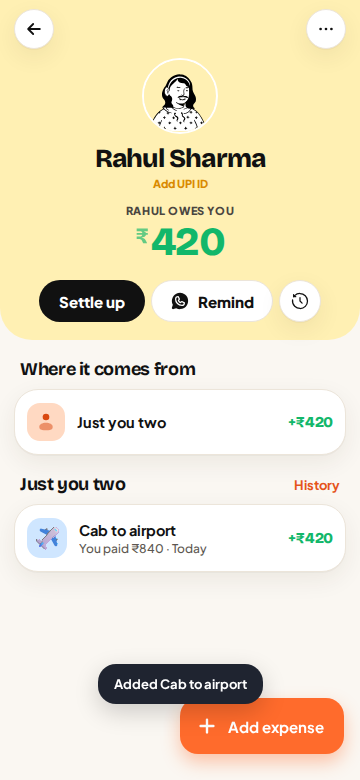
Not every expense belongs to a group. The Friends tab keeps a running balance with each person: the ₹840 cab to the airport, the concert tickets, the lunch you covered. Add an expense with a friend in two taps, and settle on UPI the same way as in a group.
Earn entries by inviting
On the free plan, each friend who joins with your invite earns you 3 saved entries to use on busy days.
Questions
Do my friends need the app?
No. Add them by name and split with them right away. When they join with your link, they see everything that was added for them.
Can someone join on the web?
Yes. Invite links open ttmm in the browser at ttmmsplit.in/app on any phone or laptop.
Can I scan a QR from a screenshot?
Yes. Tap “Scan or upload a QR image” and pick the screenshot.